First-Time Donor Segments for Hospital Foundations: A Practical Guide to Segmentation, Retention, and Revenue Growth
 Evgeniya Salomatina : May 8, 2026, 11:56:35 AM
How Hospital Foundations Can Improve Donor Retention Through Segmentation
Official Partner

We believe powerful tools shouldn't be complicated. SimpliPhi helps organizations work smarter, move faster, and drive real impact—simplifying the hard stuff so you can focus on what you do best.
SegmentOmatic vs. AmpliPhi: both support nonprofit donor segmentation, but they organize campaign work differently. For leaders, the practical questions are how teams handle overlapping audiences, keep priorities visible, validate counts, update assignments, and prepare complete campaign exports.
“Then I pull my hair out because I have to wait for the system to do its work.”
For one foundation’s fundraising leader, that frustration was a familiar part of campaign preparation. The team knew how it wanted to communicate with donors. Getting those decisions into campaign-ready files was the difficult part.
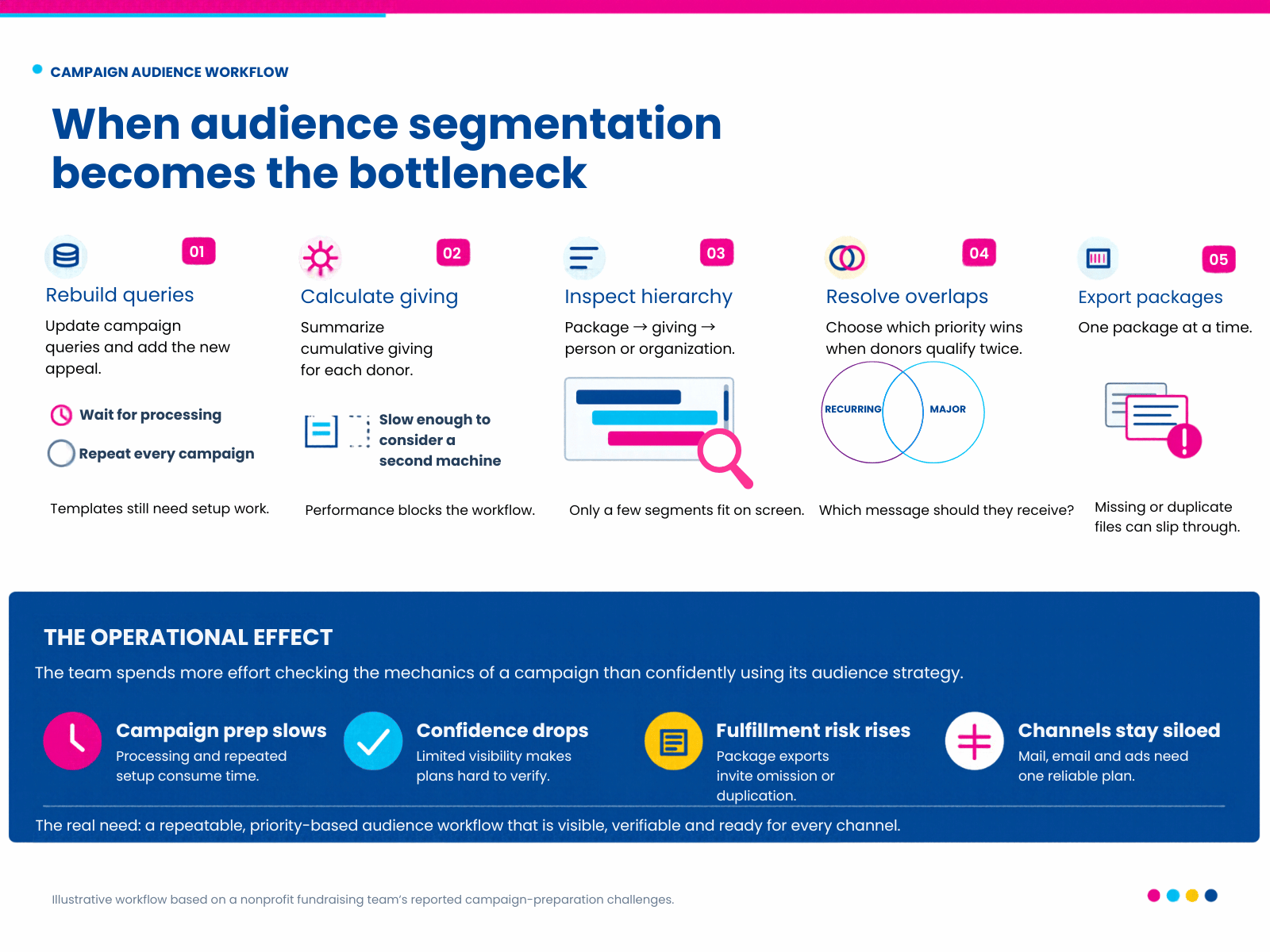
The foundation used a SegmentOmatic plug-in to organize campaign audiences in Raiser’s Edge. Its segmentation reflected real fundraising needs: different packages, cumulative-giving criteria, and separate approaches for individuals and organizations across direct mail and email.
Those audiences could overlap. A monthly donor might also qualify for major-gift treatment based on cumulative giving. The team needed to decide which message took priority and make sure the campaign reflected that decision.
Reusable templates provided a starting point. But each campaign still required updating queries, building segments, assigning appeals and packages, and waiting for calculations. Cumulative-giving summaries were especially frustrating. The leader had even considered a second dedicated machine with a virtual server to support the work.
Checking the audience plan brought another difficulty. Even after enlarging the SegmentOmatic window, the leader could see only a couple of segments at a time. Reviewing one part meant losing sight of another. She kept returning to the same questions: “Did I pull the right one? Did I set up SegmentOmatic properly?”
Once the audiences were ready, the foundation’s Raiser’s Edge Mail workflow required exporting one package at a time. Each file needed checking: had every package been included, and was the correct file ready to send?
Barcodes were essential, and the barcode and export process had become a particular concern. The leader described it as a problem that had “kept me up at night.” The challenge was not just producing a list. It was knowing that the audience rules, package assignments, and final files all matched the campaign plan.
These difficulties reflect this foundation’s particular SegmentOmatic and Raiser’s Edge workflow, not every organization’s experience. SegmentOmatic supports ordered hierarchies, reusable templates, inclusions and exclusions, appeal and package assignments, exports, and reports. For this team, the opportunity was to make the steps easier to see, coordinate, and check.
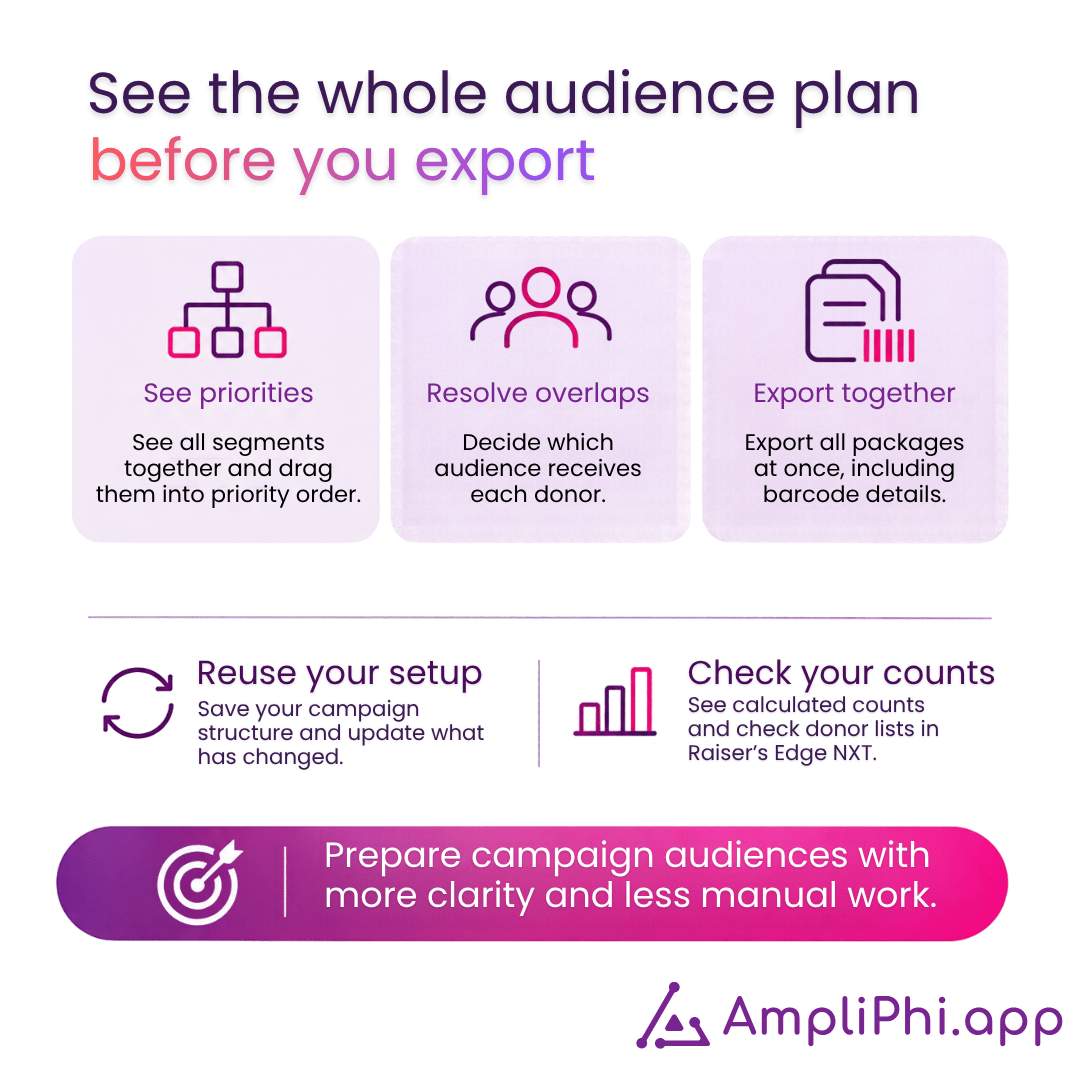
AmpliPhi gives teams a shared view of campaign audiences, priorities, and counts. Instead of checking isolated parts of a large setup, staff can review the campaign structure together.
That structure helps teams express decisions about overlapping audiences. A recurring donor who also meets major-gift criteria can be handled according to the campaign’s priority rules. Teams can apply inclusions and exclusions within specific segments, use a catch-all for the remaining audience, and see how a change in priority affects the segment structure.
Validation stays connected to Raiser’s Edge. Staff can open a count for review in the CRM, open the source query, and refresh affected segments when information changes. During processing, they can continue building while calculations run. Processing time still depends on the organization’s data and campaign structure, so it should be checked with a representative campaign.
Configurable barcode generation brings barcode preparation into the campaign workflow. The barcode data could be prepared with appeal and package assignments for a combined export, rather than handling separate package files.
AmpliPhi also supports reusable campaign and segmentation templates. A campaign template can include source queries, helping the team start from an established structure and adapt it to the current appeal. AmpliPhi prepares and coordinates audience data; it does not send the mail or email.
Explore how AmpliPhi could support your campaign workflow.
| Workflow area | SegmentOmatic, according to its user guide | AmpliPhi workflow |
|---|---|---|
| Segmentation inputs | Profiles can use Raiser’s Edge queries or SQL, as well as recency, calculated recency, frequency, and monetary criteria. | Connects to Raiser’s Edge NXT or Salesforce source data and organizes query-based audiences in a campaign workspace. |
| Hierarchy and priority | Hierarchy templates can define ordered segments. Within a hierarchy, constituents who qualify for multiple segments are assigned according to the configured order. Multiple hierarchies create more granular segmentations. | Teams build parent and child segments and set priority by ordering them. Moving a segment can move its subsegments with it. |
| Inclusions and exclusions | The guide documents an include query and an optional exclude query for each query-based segment. The team described a single exclusion path in its current setup; that should not be generalized as a product-wide limitation. | Teams can apply multiple inclusion and exclusion queries in the context of a segment and use a catch-all for constituents left over. |
| Appeals and packages | Users can assign appeals and packages, commit those assignments to constituent records, and generate queries and CSV exports. The guide lists segment, appeal, package, and finder-number fields among possible export data. | Teams can assign appeals and packages by audience and channel, then apply approved campaign assignments back to the CRM. Mail-channel barcode generation can be configured as part of the campaign workflow. |
| Query changes and refresh | The guide notes that query changes do not update existing profiles until the profiles are refreshed. | Users can open the source query, refresh it, and update affected segments. Confirm support for any required rolling date ranges before implementation. |
| Review and reporting | Provides segmentation grids, list generation, Appeal Analysis, and Package Analysis reports. | Shows audience counts and lets staff open the corresponding records in the connected CRM for validation. |
| Channel use | Can prepare lists and exports for campaign follow-up, including configured email-address exports. | Lets teams apply channel-specific audience rules for coordinated campaign preparation. It does not deliver campaign communications. |
The one-package-at-a-time export and limited on-screen visibility described above are specific to this foundation’s workflow. The SegmentOmatic guide documents exports and per-segment inclusion and exclusion queries. A fair evaluation should compare the team’s actual configuration and current process with the workflow it needs next.
For more detail, see Omatic’s SegmentOmatic support resources, the AmpliPhi overview, and how teams can open the source query from AmpliPhi.
| Test with a representative campaign | What to check |
|---|---|
| Overlapping audiences | Use a recurring donor who also meets major-gift criteria. Confirm how the priority rule assigns the person and how staff can review the outcome. |
| Exclusions and channel rules | Test the actual suppression queries and rules for direct mail, email, and any additional channel the organization uses. |
| Packages and barcodes | Confirm that every package is represented once, required barcode data is present, and the final export matches the mail-house specification. |
| Late campaign changes | Change an audience rule, refresh the affected segments, and confirm how the updated assignments are reflected in Raiser’s Edge. |
| Workload and confidence | Record processing time, manual handoffs, count checks, corrections, and how much of the campaign plan staff can see at once. |
Evaluate each product separately, and measure the expected outcome in a real workflow rather than assuming savings in advance.
AmpliPhi can be evaluated as an alternative for teams reviewing their segmentation workflow, but it is not a claim of exact feature parity. Compare the rules, assignments, exports, reporting, integrations, and transition requirements that matter to your organization.
Yes. SegmentOmatic’s user guide documents ordered hierarchy templates and inclusion and exclusion queries for segments. It also documents appeal and package assignments, exports, and reports.
Run a representative campaign and track staff time, manual handoffs, corrections to audience counts or assignments, and the effort needed to repeat the work. Compare the same steps in both workflows before drawing conclusions.
 Evgeniya Salomatina : May 8, 2026, 11:56:35 AM
How Hospital Foundations Can Improve Donor Retention Through Segmentation

 SimpliPhi : Jul 2, 2026, 2:53:05 PM
AmpliPhi helps nonprofit and hospital foundation teams prioritize, validate, and apply campaign audiences alongside Raiser’s Edge NXT or Salesforce.
 SimpliPhi : Jul 7, 2026, 10:51:08 AM
Download a practical donor segmentation guide for hospital foundations. Review acquisition sources, donor follow-up, and audiences before your next...
 Evgeniya Salomatina : Oct 9, 2026, 5:11:47 PM
Define who approves donor exclusions in hospital foundation campaigns, what to record, and how to handle late changes across email and direct mail.
 SimpliPhi : Jul 2, 2026, 2:53:54 PM
How Nonprofits Can Personalize Donor Outreach and Boost Engagement with Smarter Segmentation.
 Evgeniya Salomatina : Aug 26, 2026, 2:41:50 PM
Compare 7 donor segmentation tools for nonprofits in 2026. See which fit RE NXT, Salesforce, recurring campaigns, audience priorities, and CRM...
 Evgeniya Salomatina : Jul 28, 2026, 11:00:15 AM
Discover how to segment an annual giving campaign using lifecycle frameworks, RFM metrics, and multi-channel strategies to boost donor retention and...
 Evgeniya Salomatina : Sep 24, 2026, 5:14:06 PM
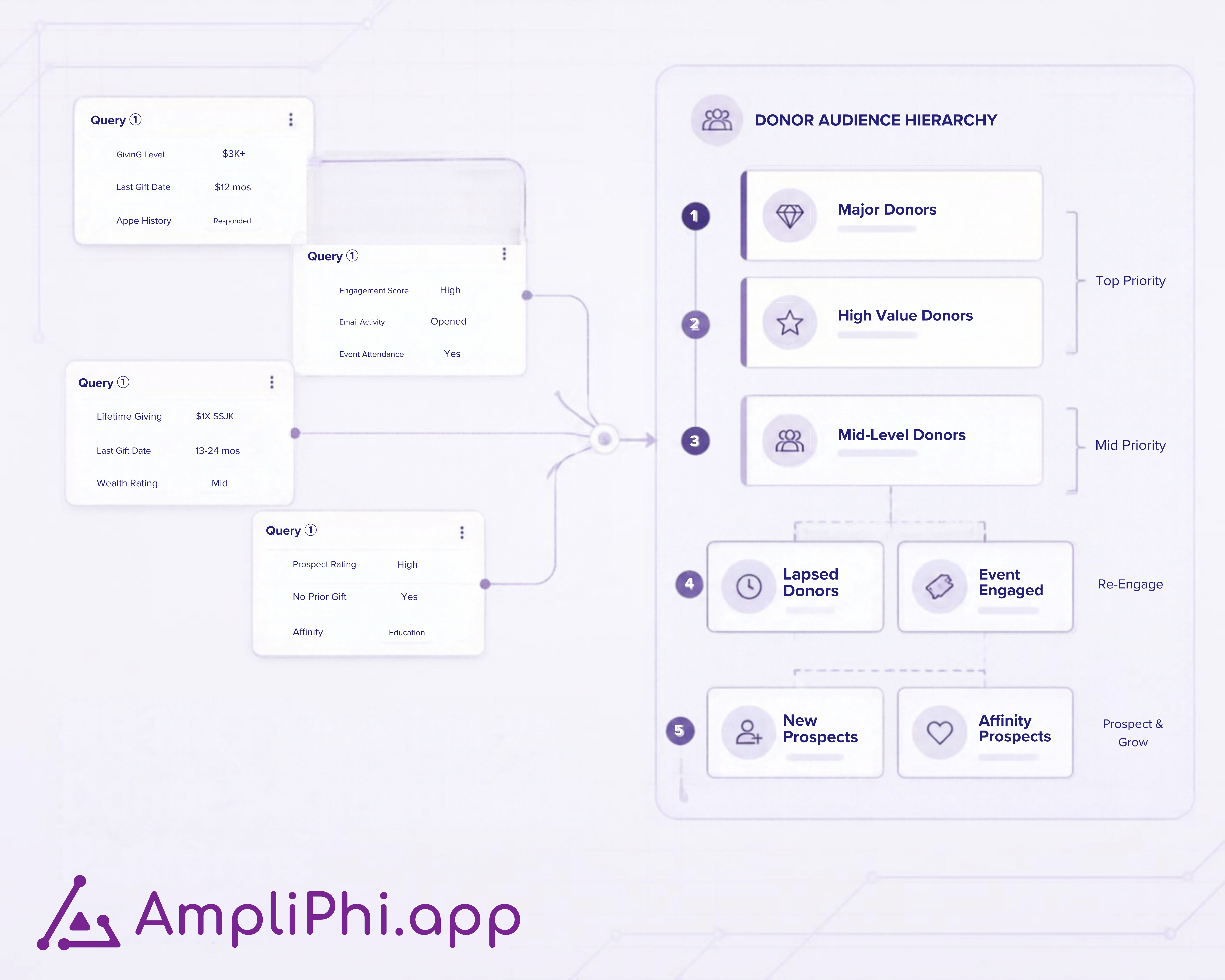
See how Raiser’s Edge NXT queries and a segmentation workspace work together, from source criteria to campaign rules, count validation, and CRM...