12 min read

Raiser's Edge NXT November 2026 Product Update: What's New, What's Next, and Where to Watch

If your team relies on database view for gift entry, exports, acknowledgements, or integrations, you may be wondering what needs to change before September 15, 2027. We reviewed Blackbaud’s November 17–19, 2026 Raiser’s Edge NXT Product Update Briefings (PUBs) to help fundraising, data, and operations teams find the updates that affect their daily work and decide what to test next, with links to the exact point in each recording.

TL;DR for Raiser’s Edge NXT teams

  • The deadline is September 15, 2027. Database view, plus any plugins and integrations built on it, stops working that day. Your data is already in web view, so this is about workflows, not migration.
  • Turn on now: the tabbed constituent view (admin opt-in, applies to all users), single row query for exports, and grid batch for gift processing.
  • By the end of 2026: import, volunteer management, the rest of membership, and security group management are planned for web view.
  • Early 2027: global change, advanced constituent search, and lifetime and loyalty recognition programs. Mail with Word merge is planned, without a firm date.
  • In 2027: an upgraded email tool for every RE NXT customer at no extra cost, and multi-event registration in Q2.
  • Start now: name an owner, inventory your database view workflows and integrations, and test the critical ones in web view.

How to use this page. Each “▶” link opens the recording. Move the player to the time shown. Every feature carries a label:

  • [Available now]: in the product today.
  • [Rolling out]: released in waves, or in limited availability.
  • [Early adopter]: available only through an early adopter program.
  • [Planned]: on the roadmap, with Blackbaud’s stated timing.
  • [Paid add-on]: not included in a standard subscription.

Availability can depend on your region, subscription, permissions, and AI settings, and planned features and dates can change. Check your own environment before you change a live process. Statuses last checked: November 23, 2026.

What this means for your team

The question most teams are asking is simple: will our everyday work still run in web view, and what should we do first? Here is the short answer by job.

  • Acknowledgements and receipts. Mail with Word merge is planned, and saved mail settings are expected to carry over. Keep your current process for now. When mail is released, compare templates, merge fields, and output against your current letters before switching. Details
  • Exports and files for other systems. Single row query, the web view replacement for Export, is available now. Rebuild one critical export, compare it with the old file column by column, and check the system that receives it. Details
  • Gift entry and batches. Grid batch, pledges, planned and matching gifts, and GL posting are available now. Run a real batch with your gift processors and confirm it reconciles and posts as expected. Details
  • Imports and bulk updates. Import is planned for the end of 2026 and global change for early 2027. List the imports and bulk edits you run, and how often, so you can test them on release. Details
  • Reports and finance totals. New settings define what counts as giving across reports. Agree on the definitions with fundraising and finance before comparing totals. Details
  • Integrations, plugins, and scheduled jobs. Anything built on database view stops working on September 15, 2027. Inventory each one, its owner, and whether the vendor has a web view or API-based plan. Details
  • Donation forms and events. Online Giving forms and Fundraising Pages are available or rolling out, and multi-event registration is planned for Q2 2027. Check the donor experience, payment options, receipting, and the data that reaches your CRM before changing a form. Details

For leadership: name one owner for readiness, set a date to finish testing critical workflows well before your busiest season, and give fundraising, finance, and operations staff time to learn the workflows that affect them.

To turn this into a working list, use SimpliPhi’s Web View Readiness Checklist to record your workflows, owners, risks, and what to test first.

The date that frames everything: September 15, 2027

Blackbaud says database view support and access end on September 15, 2027, along with Blackbaud Online Express, Blackbaud NetCommunity, and any plugins, integrations, or customizations built on database view. Your constituent records and gift history are already in web view, so this is not a data migration. The preparation is about the work your team does with that data.

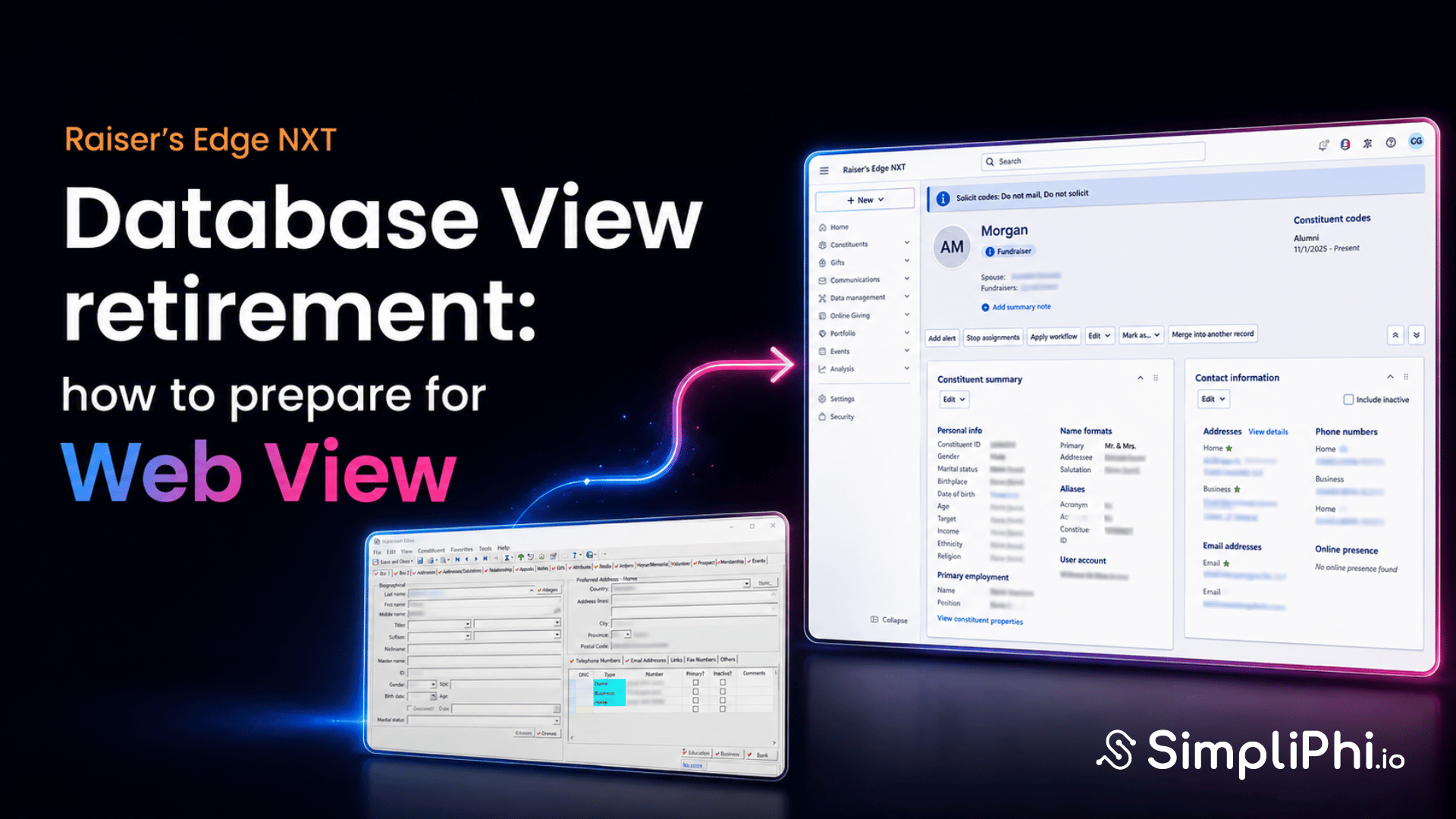
Start by listing the exports, gift batches, acknowledgement letters, forms, scheduled tasks, and integrations your team uses. Note who owns each one, when it is next needed, and whether its web view replacement is available. Test the most important workflows before a campaign or reporting deadline. For a fuller walkthrough of auditing workflows and plugins, see Raiser’s Edge NXT Database View retirement: how to prepare for Web View.

Since the May briefing, Blackbaud says it has shipped more than 250 Idea Bank ideas (over 27,000 votes) and more than 187 features.

▶ 0:44, RE NXT briefing · Blackbaud’s transition announcement · Total Web Solution documentation

Turn these on now

Tabbed constituent view [Available now]. A redesigned constituent record with information grouped into tabs. A solution administrator must opt in, and the change applies to every user at once. Tell users before the change, and allow about a day for it to appear for every admin.

Single row query [Available now]. This is the web view replacement for database view Export: one row per constituent or gift, with the columns you choose. Find it under Analysis, Query and export. Blackbaud plans to migrate existing database view exports into single row query [Planned], so you shouldn’t need to rebuild them from scratch. Before relying on a migrated or rebuilt export, compare critical files, field mappings, and the downstream process that uses them.

Gift processing in web view [Available now]. Grid batch (spreadsheet-style gift entry), templates, pledges, planned gifts, matching gifts, benefits, and GL posting are all available. Blackbaud recommends moving all gift processing into web view now. Test your actual gift types, approvals, and posting routines with the people who use them.

List exploration [Available now]. Build charts and pivot tables on constituent and gift lists, then open the records behind any segment.

▶ 8:49, major release announcements · RE NXT companion document · What’s Recent release notes

Gift processing and mail

Mail in web view, with Word merge [Planned]. Donor acknowledgement letters, honor/memorial letters, quick letters, receipts, and pledge reminders, each producing a CSV, PDF, or Word merge file. Blackbaud says saved mail parameter files from database view will carry over. When mail is released, compare templates, merge fields, and output against your current letters before switching.

Batch improvements. Custom fields now appear as individual columns in batch, and you can overfund a pledge [Available now]. Gift IDs and “sticky” per-user batch settings come later in 2026 [Planned]. Confirm availability in your own environment.

Next for batch [Planned]. Batch management (numbering, folders, grouping rules), repeatable and recurring batches, importing gifts into a batch, automatic application of payments to open pledges, barcode scanning, OCR from photos of checks, EFT file generation, and stored cards and bank accounts. A new gift processing work center will gather pending tasks such as approvals, failed payments, and acknowledgements.

▶ 11:59, gift processing and mail merge demo · Grid batch documentation

Data management: import, global change, scheduler

Import in web view [Planned, end of 2026]. Bulk import for constituents and gifts, including into gift batch. One file can both add and update records, with reusable mapping templates and background processing. When it arrives, test matching, coding, exceptions, and reconciliation with a real file. Blackbaud has said its native import is not meant to replace partner tools; if you rely on automated imports or system-to-system syncs, compare the options in 5 Best Fundraising Automation Tools for Raiser’s Edge NXT.

Global change [Planned, early 2027]. Global change means bulk-updating many records at once, for example recoding a group of gifts or adding an attribute to everyone in a query. It will start with add, update, and delete, followed by replace, move, and copy, rolled out record type by record type.

Scheduler replaces Queue [Planned]. Schedule imports, queries, exports, and mailings directly in web view. Inventory your scheduled jobs now, including the reports or files that depend on them.

Permissions and settings. All environment settings are now in one place [Available now]. Security group management, with an audit history, comes to web view by the end of 2026 [Planned].

Advanced constituent search [Planned, early 2027]. Multiple criteria and wildcard support.

▶ 23:24, data management · Web view–only query fields

Online Giving and donor engagement

Upgraded email for every RE NXT customer [Planned, 2027]. Included in existing subscriptions. Planned features include emailing non-constituents, more merge fields, conditional content, and updated design tools.

Fundraising Pages [Rolling out; all customers in December]. Branded campaign pages that combine a branding card, a live goal meter, a donation form, and an opt-in supporter wall.

Multi-event registration [Planned, Q2 2027]. A redesigned form in Online Giving. Supporters can register for up to 25 events in one checkout, and you will be able to copy forms between events.

Online Giving essentials [Available now]. Constituent forms (email sign-up and profile updates), membership forms, write-in designations, title and suffix fields, embedded checkout, real-time PDF receipts, a custom donor cover label, and pledge payments in the donor portal. Blackbaud reported in the Online Giving briefing (22:48) that its abandoned donation reminder recovers about 25% of gifts that donors start but don’t finish. Before changing a form, check the donor experience, payment options, receipting, and the data that reaches your CRM.

Coming next [Planned]. DAF Pay (US) and Amazon Pay (US and UK) in Q1 2027. In December, you’ll be able to choose which payment methods each form accepts. Also planned: more ask ladder options, tribute eCards, and a redesigned portal home page. Confirm region and release status before committing to a campaign.

▶ 33:58, donor engagement (RE NXT briefing)
▶ Online Giving briefing: 7:09 new forms and payment methods · 22:48 donor experience and portal · 34:16 AI features · 45:35 getting started
Abandoned donation reminder · Write-in designations · PDF receipts

Events, volunteers, membership, and recognition programs

Event management [Planned, first half of 2027]. Copy an event (including fees and forms), participant custom fields, sponsors shown on past events, seat capacity enforced on online forms, and a drag-and-drop seating tool.

Volunteer management [Planned, end of 2026]. Requires no setup, and existing data carries over. Includes volunteer, job, and timesheet pages with roll-up totals of hours and value.

Membership completed in web view [Planned, end of 2026]. Transactions, renew, upgrade, downgrade, and drop, plus a membership overview page and a settings area. Membership records themselves are already editable [Available now].

Recognition programs. Legacy programs [Available now]. Lifetime programs (cumulative giving) and Loyalty programs (consecutive or total years) [Planned, early 2027], followed by Annual programs [Planned], which track upgrades, downgrades, and lapses.

For each event or renewal cycle, list the forms, fees, sponsorship details, and reports you rely on, and check the replacement against that list when it’s released.

▶ 41:32, events, volunteers, membership, and recognition · Recognition program types

Portfolio and prospect management

Role-based Work Center [Planned]. A home screen that shows each fundraiser, team lead, or executive which donor conversations need a next step. New tiles show what’s due in the next 8–30 days and 31–60 days, plus a “Needs attention” list. Admin templates for each role are coming soon.

Prospect research [Planned]. A notable attendees tile on event records, research profiles and briefs in the Work Center, and validation workflows that let researchers confirm or flag data before fundraisers rely on it.

Moves management. Opportunity lifecycle stages, which track where each ask stands from identification to close, are available now. Opportunity strategy, linking related opportunities for split asks, and rules that update statuses automatically are planned.

Before changing a major-gift workflow, check how your team records next steps, verifies prospect information, and reports on opportunities.

▶ 52:39, portfolio management · Action strategies · Custom intelligent tags

Reporting, goals, and dashboards

Define what counts as giving [Available now, with more controls planned]. Exclude event fees, membership dues, and chosen funds from committed, received, and recognition revenue. The same rules then apply everywhere, so totals match across reports. Confirm the definitions with fundraising and finance before comparing totals.

Goals and performance dashboards [Planned]. Set goals for revenue, donors, actions, or opportunities, add quarterly milestones, and roll goals up into a campaign. Share dashboards with your team or with board members (read-only). Notifications include AI-generated summaries.

Blackbaud AI Chat on lists [Planned, early 2027]. Ask plain-language questions about a list, as part of a larger AI Chat release.

Power Platform and Power BI. The query connector supports single row query, and new import and mail connectors are available [Available now]. Blackbaud announced Query API support for the Power BI custom connector for November 24. Confirm it has been released before you build on it.

▶ 1:01:00, reporting and goals · 1:07:29, automation and integration · AI Chat prompt library

Data health and Agents for Good

Data health scorecard [Available now, US; free]. The old letter grade is gone. Data is now scored across six dimensions using 39 business rules, and existing tools such as duplicates and Deceased Finder keep working. Address Accelerator is coming to web view, starting in the UK [Planned].

Data Health Agent [Early adopter, US] [Paid add-on]. Recommends fixes one record at a time, and you approve each change. As your confidence grows, you can raise its autonomy rule by rule. Every action can be undone, and you can exclude VIP lists such as board members.

Development Agent [Available now, US; early adopter in Canada] [Paid add-on]. Engages mid-level donors one-to-one by email and SMS. New controls let you set portfolio size and rules and block dates such as Giving Tuesday or a gala week. Next: custom email signatures, sample-email testing, and engagement strategies such as event attendance or recurring-gift upgrades, with strong prospects handed back to fundraisers [Planned].

Before enabling any AI feature, check permissions, data handling, costs, and the controls for reviewing and undoing changes.

▶ 1:14:01, data health (RE NXT briefing)
▶ Agents for Good briefing: 14:02 Development Agent customization · 24:46 engagement strategies demo · 31:42 Data Health Agent demo · 37:14 roadmap
Development Agent documentation · Opt in to generative AI features

Payments

More ways to give. Apple Pay, Google Pay, PayPal, and Venmo (US) [Available now]. Amazon Pay and DAF Pay [Planned]. Blackbaud reports that showing PayPal at checkout lifts conversions by about 2%.

Donor cover configuration [Planned, limited availability first]. Choose whether donor cover is opt-in or opt-out by default, and set separate rates for card and direct debit gifts.

In person. Tap to Pay on volunteers’ own phones [Available now, US]. New sales of the WisePOS E reader end in February 2027, though existing readers keep working. The S700 reader becomes the standard device in early 2027.

Recurring revenue and fraud protection [Available now]. Smarter retries for failed recurring gifts, network tokens, and automatic card updates. Every transaction is checked with bot detection, IP screening, and AI risk scoring.

Reconciliation. A disbursement export that includes RE NXT gift IDs and funds [Planned]. A Power Platform connector and AI Chat in the payments portal [Available now].

▶ Payment Services briefing: 4:45 payment methods · 7:34 partner integrations · 12:35 in-person payments · 14:51 approval rates and fraud · 24:24 gift-to-deposit reconciliation · 31:39 recap

Questions answered by the product team

These are the answers your teams will ask about first. Each comes from what Blackbaud said in the recording linked beside it.

From the November 2026 briefings

  • Do we need to migrate our data before database view ends? No. Constituent, gift, and organizational data are already in web view. ▶ 0:44
  • Will our saved mail parameter files carry over? Yes. Existing database view mail files appear in web view without being recreated. ▶ 11:59
  • Do we have to rebuild our exports? No. Existing exports will migrate into single row query. Still compare the migrated file with the original before relying on it. ▶ 23:24
  • Can one person try the tabbed constituent view first? No. When an admin opts in, it switches on for all users. ▶ 23:24
  • Is the new email tool an extra cost? No. Every RE NXT customer gets it in 2027 as part of their existing subscription. ▶ 33:58
  • Should we track giving societies in Membership? Blackbaud says Membership was never built to calculate giving levels. Recognition programs are designed for that. ▶ 41:32
  • Will our WisePOS E readers stop working? No. Only new sales end in February 2027. Existing readers keep working and receiving updates. ▶ 12:35
  • Will an AI agent change records without our approval? Not at the starting level. The Data Health Agent begins by recommending fixes for human approval, every change can be undone, and autonomy is raised rule by rule. ▶ 31:42

Blackbaud says it will publish answers to the remaining November questions in a recap post. Follow the November PUB discussion in the Community.

Still relevant: the May 2026 Q&A with Bill Connors

After the May briefings, independent consultant Bill Connors moderated a Q&A with the RE NXT product managers. The answers come from the product team; the selection of questions was his. Several still shape planning:

  • 3:32, terminology: the difference between today’s web view and the future unified view.
  • 32:03, import: the native web view import is not meant to replace partner import tools.
  • 42:45, bulk updates: global-change-style updates are planned to run through the import experience.
  • 45:42, email consent: per-email-address preferences were pushed back while gift processing took priority. If you need to keep consent and solicit codes in sync across systems in the meantime, see Automate Raiser’s Edge NXT Consent with Charity Automator Data Flow.
  • 49:58, Queue and plugins: the Queue name goes away but scheduling remains. Some plugin functions move into the product, and partners are expected to rebuild others on public APIs.

▶ Watch the May 2026 Q&A. Check each answer against the November materials, because some timelines have moved since.

Webinars, town halls, and experts

RE NXT Product Update User Group Meeting (held Friday, November 20). Raiser’s Edge NXT users met to discuss the November briefings, hosted by Barker & Scott. Missed it? Check the event page for the recording and the next meeting.

Roadmap to Readiness Town Halls. Blackbaud’s web view readiness series. Earlier sessions are recorded in the RE NXT webinar catalog. See the schedule, the Membership and Volunteer recap, and how town hall questions are answered.

InsideTrack to the Unified View. The product team’s monthly sessions, paused in November for the PUBs. Register.

Bill Connors, CFRE. Free Raiser’s Edge resources with no sign-up, including his bbcon 2026 talk “The Countdown is On” (slides, planning spreadsheet) and his October newsletter on the end of database view. Browse everything at billconnors.com/resources.

Peer communities. Raiser’s Edge User Group on Facebook · Blackbaud Community · Raiser’s Edge NXT Idea Bank

What to do now

  1. Name an owner. One person accountable for readiness, with a date to finish testing critical workflows before your busiest season. For a step-by-step approach to ownership, testing, and training, see SimpliPhi’s Raiser’s Edge NXT Web View Transition Plan for Nonprofits.
  2. Inventory your workflows. List gift entry, batches, posting, receipts, acknowledgements, recurring gifts, membership, events, queries, exports, consent, imports, scheduled jobs, plugins, and integrations. Record each one’s owner and its next critical deadline.
  3. Separate what you can test now from what is still planned, using the labels in this article, and record the source and date for each status.
  4. Test end to end in web view. Compare totals, coding, IDs, row counts, and downstream files with your current process. Document gaps and retest as features are released. A menu item appearing does not mean the whole workflow is ready.
  5. Turn on what’s ready. The tabbed constituent view, single row query, grid batch, and generative AI opt-in, each with a heads-up to your team.
  6. Give staff time to learn. Fundraising, finance, and operations staff need practice on the workflows that affect them before deadlines hit.
  7. Recheck the roadmap regularly with the Feature Map and release notes. Treat quarter estimates as planning signals, not guarantees.

Blackbaud resources

Blackbaud’s Raiser’s Edge NXT Product Update Briefing support page has the feature-by-feature details and documentation links. All recordings, including other Blackbaud products, are on the on-demand page.

Raiser’s Edge NXT is changing. SimpliPhi can help you navigate what comes next.

The transition to web view is an opportunity to examine how fundraising operations work today and prepare the team for changes ahead. SimpliPhi supports nonprofit teams with CRM consulting, workflow documentation, and tailored user training. Depending on the organization’s needs and agreed scope, an engagement may include reviewing current processes, assessing connected-system dependencies, identifying workflows to test, and preparing staff for updated procedures.

For related guidance on how query results feed campaign-audience decisions, read SimpliPhi’s How Do CRM Queries and a Segmentation Workspace Work Together? Start with the Web View Readiness Checklist, or contact SimpliPhi to discuss fundraising operations and transition planning.

When you reach out, tell us which process, integration, or deadline concerns you most. It helps to include the people who run that work day to day, such as your database manager, gift processing lead, or finance contact.

Feature labels and timelines reflect Blackbaud’s statements as of November 2026 and may change. Verify current status, eligibility, and the Feature Map before making purchase, staffing, or cutover decisions.

Raiser’s Edge NXT Database View retirement: how to prepare for Web View

Raiser’s Edge NXT Database View retirement: how to prepare for Web View

Prepare for the Raiser’s Edge NXT Database View retirement. Audit workflows, review plugins and plan your Web View transition before September 2027.

Read More
2026 Fundraising Trends: What the Pulse of the Donor Report Reveals About Mobile and Recurring Giving

2026 Fundraising Trends: What the Pulse of the Donor Report Reveals About Mobile and Recurring Giving

Smaller gifts, stronger recurring growth, and mobile dominance. Discover 5 fundraising trends from Pulse of the Donor 2026 and what to do next.

Read More
Raiser’s Edge NXT Web View Transition Plan for Nonprofits

Raiser’s Edge NXT Web View Transition Plan for Nonprofits

Build a practical Raiser’s Edge NXT Web View transition plan. Learn how to assign ownership, test workflows, train users and prepare before Database...

Read More
Nonprofit Workflow Automation: How to Know What to Automate

Nonprofit Workflow Automation: How to Know What to Automate

Learn which nonprofit fundraising workflows to automate, which require human review, and how to assess volume, rules, exceptions, risk, and timing.

Read More
Raiser’s Edge NXT Web View Transition Readiness Checklist

Raiser’s Edge NXT Web View Transition Readiness Checklist

Download a practical Raiser’s Edge NXT Web View checklist with workflow, risk, testing, responsibility and 30-day planning templates.

Read More
7 Best Donor Segmentation Tools for Nonprofits in 2026

7 Best Donor Segmentation Tools for Nonprofits in 2026

Compare 7 donor segmentation tools for nonprofits in 2026. See which fit RE NXT, Salesforce, recurring campaigns, audience priorities, and CRM...

Read More
What Are Notifications in AmpliPhi and How Do They Help Fundraising Teams Act with Confidence?

What Are Notifications in AmpliPhi and How Do They Help Fundraising Teams Act with Confidence?

Nonprofit teams live inside a thousand small deadlines. A campaign segment finishes building, a template-generated campaign is ready, an invoice is...

Read More
Automate Raiser's Edge NXT Consent with Charity Automator Data Flow

Automate Raiser's Edge NXT Consent with Charity Automator Data Flow

Charity Automator Data Flow now supports Raiser’s Edge NXT Consent. This means you can sync opt-ins and opt-outs automatically, keep Solicit Codes...

Read More