3 min read

Multichannel Fundraising: Coordinate Donor Campaigns

Multichannel fundraising coordinates donor audiences, messages, and timing across email, direct mail, phone, and other channels. Start with a shared campaign strategy, then apply each channel’s eligibility rules and validate the resulting audiences before launch.

A donor may receive a personal letter on Monday and a generic email on Tuesday. Both messages belong to the same relationship. When teams build them separately, the donor can receive conflicting asks even though each list looks correct on its own.

Give each audience one coordinated campaign treatment

Agree what the campaign should say to each audience before preparing channel lists. The wording can adapt to the format, while the purpose, timing, and relationship context remain connected.

These illustrative treatments show the decisions to make together:

Audience situationAgreed treatmentCheck across channels
A donor has a personal solicitation plannedThe relationship manager handles this ask; approved stewardship continues.Apply the agreed general-appeal exclusion to every affected channel.
A first-time donor gave after a community eventAcknowledge the event connection in follow-up.Use the same relationship context in mail and email.
A monthly donor is eligible for a special appealRecognize the ongoing commitment and explain the additional opportunity.Review eligibility and timing rather than treating the donor as a general acquisition prospect.

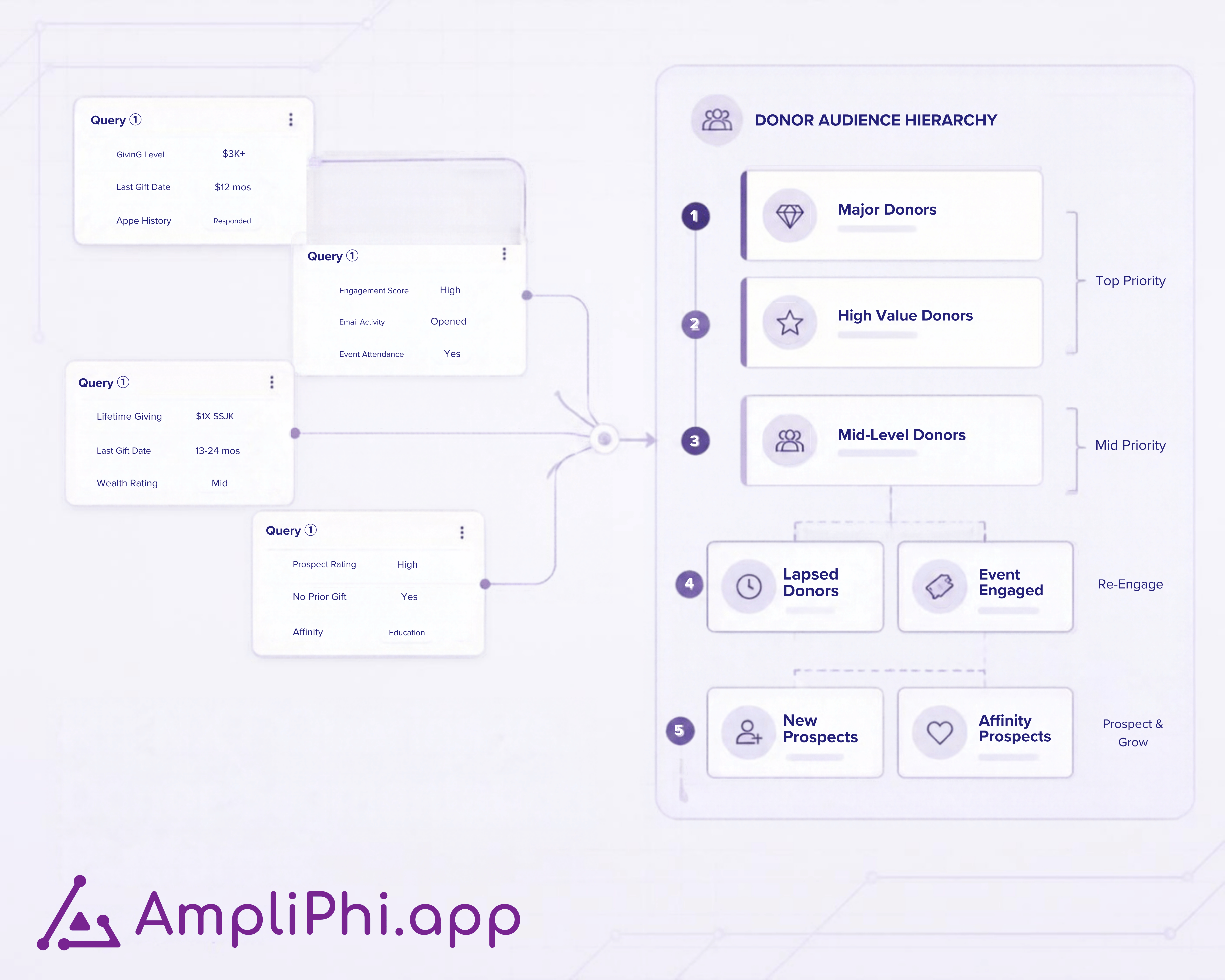
Each treatment is a campaign decision. For the broader audience framework, use our annual giving segmentation guide.

Separate donor segments from channel eligibility

A segment describes the donor audience. A channel rule determines whether that donor can receive a particular communication.

A recent donor may belong in the campaign strategy but have no usable mailing address. Another may be eligible for mail and email while having a recorded preference against phone calls. Keep those channel checks separate from the donor’s relationship or giving segment.

The Segmentation Academy example below uses segments as rows and channels as columns. That creates a practical review: who belongs in each audience, which communications they can receive, and how many records are ready for each channel.

Five checks before releasing campaign audiences

  1. Agree audience priority. Decide what happens when someone qualifies for several segments. A donor can have several relationships while receiving one agreed treatment for this appeal.
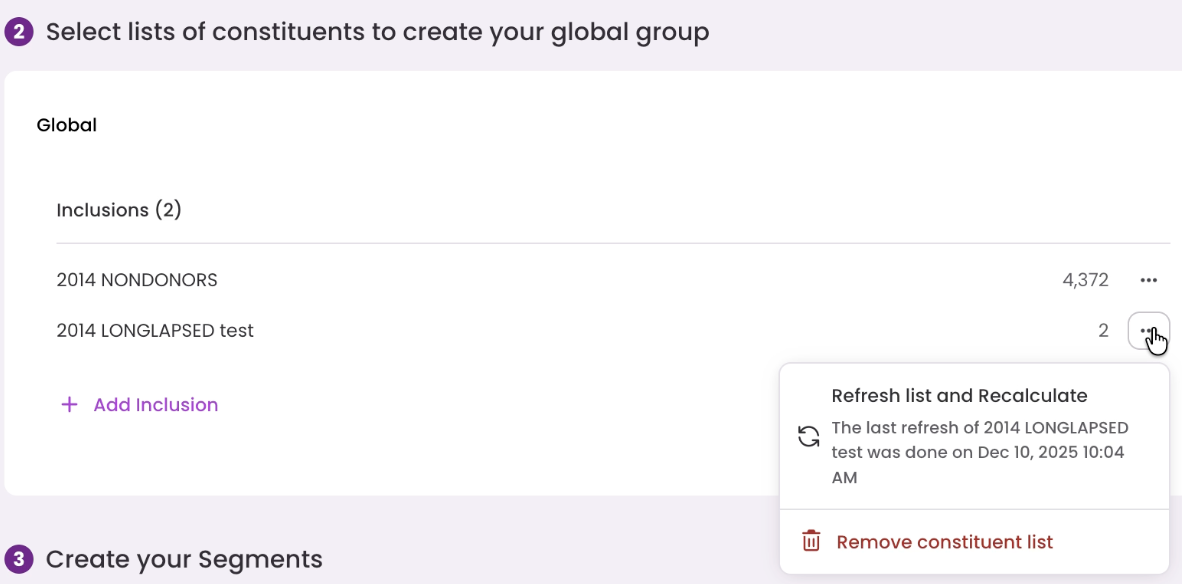
  2. Review inclusions and exclusions. Identify the communication affected, the reason for the exception, and who approves it. Keep campaign-specific decisions separate from enduring communication preferences.
  3. Apply channel rules. Check usable contact information and recorded preferences for each channel.
  4. Align timing and content. Review the mail drop, email schedule, calling plan, and message together. Confirm what can still change after a file reaches the mail house.
  5. Validate the final audiences. Investigate unexpected counts and overlaps, then confirm which audience version each delivery team will use.

Use the annual giving campaign checklist to record gaps before launch.

An online gift does not establish a digital-only preference

A donor can read a mailed appeal and complete the gift online. The transaction channel shows where the gift was made; it does not, by itself, establish which communications influenced the decision or which ones the donor wants next.

Research discussed in MIT Sloan Management Review in 2025 describes direct mail as a complement to digital marketing. That consumer-marketing context supports testing how channels work together; it does not establish a fundraising revenue benchmark.

Before moving an audience to digital-only communication, review recorded preferences and your own results. Where appropriate, compare a reduced-mail group with a comparable group receiving the usual campaign treatment.

Measure the donor response across the campaign

Review total giving from the tested audience across channels, alongside communication costs. Email clicks and online gifts can be useful signals, but they do not capture the entire campaign response.

Look at response rate, net revenue, subsequent giving, and communication opt-outs. Keep audience selection, timing, and measurement periods comparable so a change in donor mix is not mistaken for a channel effect.

How AmpliPhi supports multichannel audience coordination

AmpliPhi’s donor segmentation workspace works with connected CRM audiences to organize priority, apply inclusions and exclusions, validate counts and membership, and define channel eligibility.

In the webinar demo, the campaign grid combines donor segments with mail and email eligibility. Teams can review the resulting counts and inspect the corresponding audiences in the CRM before applying campaign assignments.

Your team agrees the strategy and approvals. AmpliPhi supports preparing and validating those audience decisions; your existing email platform, mail house, and calling operation deliver the communications.

See the campaign workflow

Review one campaign with our team

Bring your donor segments, planned channels, and one overlap or exclusion you need to resolve. Book an AmpliPhi discovery call to review how the campaign could work in a shared segmentation workspace.

 
How Do CRM Queries and a Segmentation Workspace Work Together?

How Do CRM Queries and a Segmentation Workspace Work Together?

See how Raiser’s Edge NXT queries and a segmentation workspace work together, from source criteria to campaign rules, count validation, and CRM...

Read More
AmpliPhi Now Connects with Salesforce: Product Update for Nonprofit Fundraising and Data Teams

AmpliPhi Now Connects with Salesforce: Product Update for Nonprofit Fundraising and Data Teams

AmpliPhi.app now connects directly with Salesforce, enabling nonprofit fundraising and data teams to build, validate, and activate campaign audiences...

Read More
Open your query editor in one click, directly from AmpliPhi

Open your query editor in one click, directly from AmpliPhi

Open your query editor in one click directly from AmpliPhi, and selectively refresh it in one click. With query access in one click, teams can move...

Read More
Donor Segmentation for Nonprofits: A Smarter Refresh Logic for Better Campaign Control

Donor Segmentation for Nonprofits: A Smarter Refresh Logic for Better Campaign Control

AmpliPhi is an audience segmentation and donor segmentation tool for nonprofits. Learn how we use client feedback to improve audience validation,...

Read More
What Are Notifications in AmpliPhi and How Do They Help Fundraising Teams Act with Confidence?

What Are Notifications in AmpliPhi and How Do They Help Fundraising Teams Act with Confidence?

Nonprofit teams live inside a thousand small deadlines. A campaign segment finishes building, a template-generated campaign is ready, an invoice is...

Read More
Why Fundraising Feels Harder Today and How Nonprofits Can Improve Donor Retention

Why Fundraising Feels Harder Today and How Nonprofits Can Improve Donor Retention

Fundraising is getting harder as donor expectations shift. Learn why donor retention, segmentation, and multi-channel alignment are key to improving...

Read More
Is Your Charitable Organization Ready for Smarter Segmentation?

Is Your Charitable Organization Ready for Smarter Segmentation?

How Nonprofits Can Personalize Donor Outreach and Boost Engagement with Smarter Segmentation.

Read More
Hospital Foundation Campaign Approvals: Donor Exclusions

Hospital Foundation Campaign Approvals: Donor Exclusions

Define who approves donor exclusions in hospital foundation campaigns, what to record, and how to handle late changes across email and direct mail.

Read More