3 min read

AmpliPhi: Donor Segmentation Platform for Nonprofits

AmpliPhi: Donor Segmentation Platform for Nonprofits
6:38

AmpliPhi is donor segmentation software for nonprofit fundraising teams that need to build, prioritize, validate, and apply campaign audiences using connected CRM data. It works with Raiser’s Edge NXT and Salesforce, giving fundraising and data teams a shared workspace for preparing campaign segmentation.

Your CRM remains the system of record. AmpliPhi adds a campaign workspace where teams can organize overlapping audiences, apply inclusions and exclusions, define communication eligibility, and push campaign segmentation details back to the CRM.

When should you add AmpliPhi to your existing CRM?

A CRM query may be enough for a straightforward appeal with one audience and a few filters. Consider AmpliPhi when preparing the campaign requires repeated spreadsheet work or coordination across several audiences and channels:

  • Donors qualify for multiple segments, and the team needs an agreed processing priority.
  • Inclusions and exclusions need to be applied consistently across the campaign.
  • Email, direct mail, and phone audiences have different eligibility rules.
  • Fundraising and data teams need to review counts and membership before applying assignments.

Annual giving and communications teams define the intended treatment. Database managers and CRM administrators support the source queries, connection, and data requirements. Campaign leaders agree priorities and review exceptions before launch.


What does AmpliPhi do?

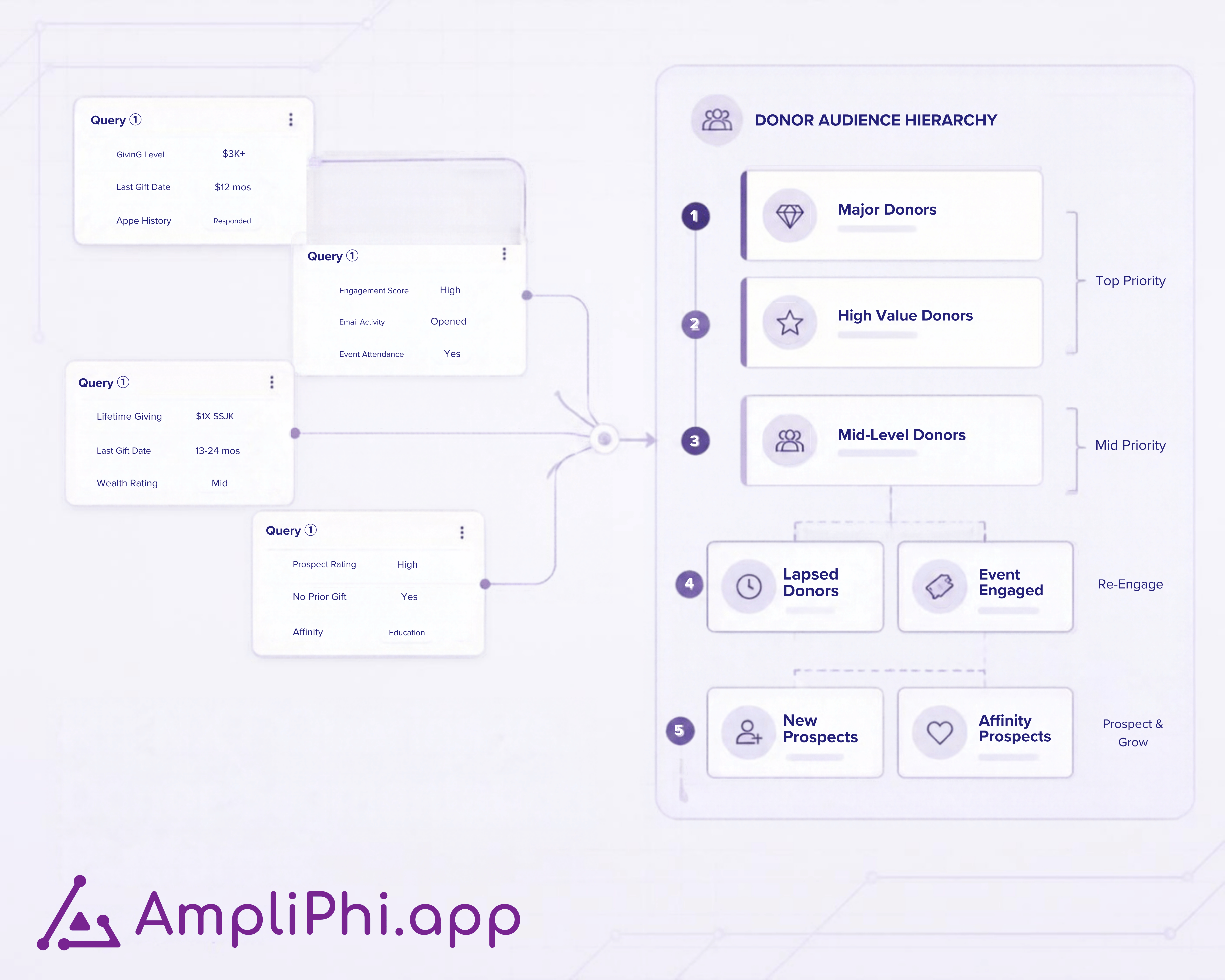
  1. Use connected CRM audiences. Work with source queries and reports from Raiser’s Edge NXT or Salesforce rather than repeatedly assembling separate spreadsheet lists.
  2. Organize audience priority. Order segments so overlapping eligibility can be resolved according to your campaign strategy.
  3. Apply inclusions and exclusions. Refine who belongs in the campaign or its audiences using the rules your team has agreed.
  4. Validate counts and membership. Review the resulting audiences before moving into campaign execution.
  5. Plan communication channels. Define eligibility for direct mail, email, phone, and other channels while keeping audience strategy coordinated.
  6. Apply campaign assignments. Push campaign segmentation details back to constituent records in the connected CRM.

AmpliPhi helps prepare audiences for the tools and teams that deliver your campaign. Your email platform, mail house, and calling operation continue to handle their respective communications.

How is AmpliPhi different from CRM queries?

A query answers, “Who meets these criteria?” AmpliPhi helps the team manage what happens when several query results become one campaign: which audience takes priority, which exclusions apply, and which channels each audience can receive.

CRM queries and reports remain building blocks. For the detailed comparison, read Raiser’s Edge NXT queries versus donor segmentation platforms.

How can a hospital foundation use AmpliPhi?

AmpliPhi is a relevant option for a hospital foundation that already uses a supported CRM and needs to coordinate several audiences for an annual campaign.

Consider an illustrative donor who attended a community event, recently made a first gift, and has a personal solicitation planned by a relationship manager. The foundation needs to decide:

  • Which audience takes priority for this appeal?
  • Should the donor receive the general ask, stewardship, or personal follow-up?
  • Does the decision affect email, direct mail, or both?

Once those decisions are agreed, AmpliPhi supports organizing the priority, applying the audience rules, validating the results, and pushing the campaign assignments. Approvals and relationship decisions stay with the foundation’s team and its agreed documentation.

For the broader strategy, use our hospital foundation segmentation guide.

The Montreal General Hospital Foundation case study shows how a Canadian foundation combined data improvements, fundraising processes, and SimpliPhi products, including AmpliPhi. It provides context for the wider operational change behind campaign readiness.

What does no-code segmentation mean in practice?

Fundraising staff can organize audiences, priorities, and channel rules through AmpliPhi’s interface without writing code in the workspace. Initial CRM access and source queries or reports still need to be configured with the appropriate administrator or data specialist.

Templates, guided onboarding, in-app support, and the knowledge base help teams get started. Bring a defined campaign and agreed audience criteria so the setup reflects your actual workflow.

AmpliPhi interface for organizing campaign segmentation

How do teams keep campaign audiences current?

Connected CRM data supports audience preparation, but counts also depend on the source criteria and refresh state. Include a refresh and validation check before applying your final campaign assignments.

For background on shared queries and recalculations, see the AmpliPhi refresh update. Review the refresh behavior available in your environment during onboarding.

If incoming gifts or manual imports are delaying CRM updates, explore fundraising data automation for hospital foundations. Charity Automator Data Flow handles the movement and validation of incoming data; AmpliPhi supports campaign segmentation using CRM audiences.

Evaluate AmpliPhi with one real campaign

Bring your CRM, source queries or reports, audience priorities, exclusions, and intended channels. Together, we can review how your campaign would move from audience preparation to validated assignments.

Book an AmpliPhi discovery call to see whether the workspace fits your team’s campaign needs.

Before the call, use the annual giving campaign checklist to identify the decisions you still need to resolve.

Frequently asked questions

Is AmpliPhi a CRM?

AmpliPhi works alongside your CRM. Raiser’s Edge NXT or Salesforce remains the system of record; AmpliPhi provides the campaign segmentation workspace.

Does AmpliPhi replace CRM queries?

AmpliPhi uses CRM queries and reports as source audiences. It adds priority, inclusion and exclusion rules, validation, channel planning, and campaign assignment workflows.

Can AmpliPhi coordinate email and direct mail audiences?

Yes. Teams can define channel eligibility within the campaign segmentation strategy, then use their existing delivery systems to execute communications.

Can we test AmpliPhi before purchasing?

A free trial is available. Use it to evaluate a real campaign workflow and review setup and assignment requirements with the SimpliPhi team.

Raiser’s Edge NXT Queries vs Donor Segmentation Platforms: What Fundraising Teams Need for Campaign Management

5 min read

Raiser’s Edge NXT Queries vs Donor Segmentation Platforms: What Fundraising Teams Need for Campaign Management

Raiser’s Edge NXT queries can identify constituents who meet defined criteria and are useful for many fundraising workflows. The challenge begins...
Read More
Hospital Foundation Campaign Approvals: Donor Exclusions

2 min read

Hospital Foundation Campaign Approvals: Donor Exclusions

A hospital foundation campaign approval process should name who can request donor exclusions, who approves them, and when they must be reviewed....

Read More
How Automated Direct Mail Gift Processing Works for Nonprofits

3 min read

How Automated Direct Mail Gift Processing Works for Nonprofits

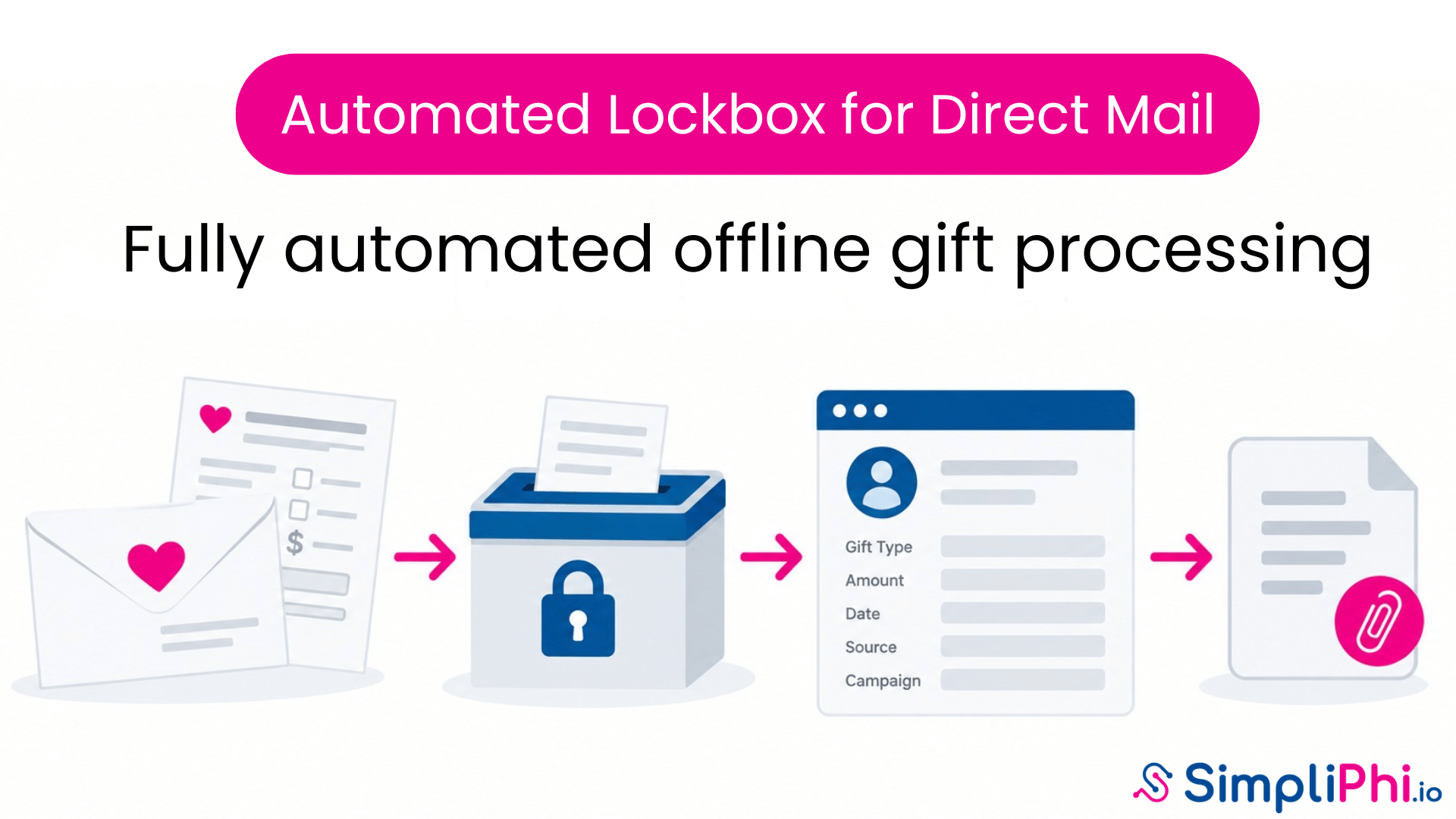
Automated direct mail gift processing connects returned mail, payment information, campaign coding and supporting documents with the correct...

Read More
Raiser’s Edge NXT Web View Transition Plan for Nonprofits

3 min read

Raiser’s Edge NXT Web View Transition Plan for Nonprofits

Blackbaud has announced that support for Raiser’s Edge NXT Database View and related Database View-dependent functionality will end on September 15,...

Read More
5 Best Fundraising Automation Tools for Raiser’s Edge NXT

8 min read

5 Best Fundraising Automation Tools for Raiser’s Edge NXT

Connecting a fundraising platform to Raiser’s Edge NXT does not necessarily eliminate the work behind the integration. After go-live, your team may...

Read More